
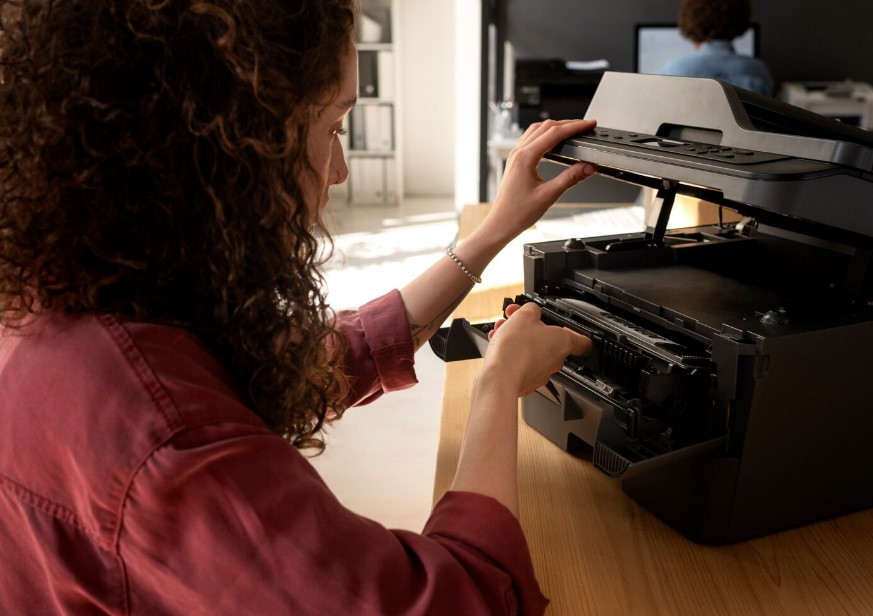
Replacing printer ink at the right time can make a noticeable difference in printing costs, document quality, and everyday convenience. Many people wait until their printer stops working completely before checking the cartridges. Others replace them too early, throwing away ink that could still be used. Neither approach is particularly economical.
Understanding how your printer behaves as ink levels change can help you make better replacement decisions. Beyond faded pages and low ink warnings, several less obvious situations deserve attention.
1. Your Printer Starts Interrupting Important Tasks
Imagine preparing a presentation, printing customer invoices, or completing school assignments when your printer suddenly refuses to continue. Some Epson printer models stop printing when a cartridge is reported as expended, even if other cartridges still contain ink.
These interruptions become especially inconvenient in workplaces where several people depend on one printer.
Rather than waiting for an urgent situation, monitor cartridge status regularly. If your printer indicates that replacement will soon be necessary, consider purchasing spare cartridges before starting a large printing project.
2. Your Printing Requirements Have Changed
A cartridge that previously lasted several months might now need replacing more frequently because your printing habits have changed.
For example, someone who previously printed occasional documents may begin producing marketing materials, colourful presentations, or educational worksheets. These activities can consume considerably more ink than basic text printing.
When printing demands increase, it becomes important to reconsider your cartridge purchasing habits.
Choosing suitable Epson ink cartridges based on your printer model and expected printing volume can help manage expenses. High capacity cartridges may offer better value for frequent printing, provided your printer supports them.
3. Your Printer Has Been Sitting Unused for Months
Printers that remain unused for extended periods may develop ink delivery problems. Ink can dry around printhead nozzles, making it difficult to produce clear documents when printing resumes.
However, replacing cartridges immediately is not always the solution.
Begin with a nozzle check and follow the recommended cleaning procedure for your printer. Avoid running repeated cleaning cycles unnecessarily because they consume ink.
If the printer continues reporting cartridge errors or an expended cartridge, replacement may be necessary. Regular printing can also help reduce problems associated with prolonged inactivity.
4. The Cartridge Is No Longer Recognised
Sometimes, a printer displays messages indicating that an installed cartridge cannot be recognised.
This situation can occur after installing a replacement cartridge, following a printer update, or because of poor contact between the cartridge and printer.
Before purchasing another cartridge, confirm that the installed product matches your printer’s exact model requirements.
If appropriate, carefully reinstall the cartridge according to the manufacturer’s instructions. If the recognition error continues despite troubleshooting, replacing the faulty or incompatible cartridge may be the practical solution.
5. You Are Preparing for a Large Printing Project
Planning ahead is particularly important when printing materials for events, business meetings, examinations, or family celebrations.
A cartridge with limited remaining ink might handle everyday documents but may not have sufficient capacity for hundreds of invitations, reports, or presentation pages.
Before beginning a substantial printing task, estimate how many pages you need and check the available ink.
Having replacement cartridges ready can prevent delays without requiring you to discard partially used cartridges prematurely.
6. You Notice Unusual Ink Consumption
If cartridges appear to run out much faster than expected, investigate the reason before automatically purchasing replacements.
Frequent printhead cleaning, high-resolution printing, and documents containing large colored areas can increase ink consumption.
Printer maintenance activities may also use ink even when relatively few pages are printed.
Review your printing preferences and maintenance habits to understand whether the increased consumption is reasonable. Identifying the cause can help you make better purchasing decisions and avoid unnecessary expenses.
7. You Are Spending More on Repeated Small Purchases
People who frequently purchase individual cartridges may find that their overall printing expenses become difficult to manage.
Instead of waiting until each cartridge runs out, consider reviewing your usual printing volume and replacement frequency.
For compatible printer models, higher capacity Epson ink cartridges may reduce the frequency of purchases and provide a lower cost per printed page.
However, purchasing larger cartridges only makes sense when your printing habits justify the additional capacity.
Conclusion
Knowing when to replace printer ink involves more than waiting for empty cartridge notifications. Changes in printing volume, cartridge recognition problems, extended inactivity, and upcoming projects can all influence replacement decisions.
The most practical approach is to monitor cartridge levels, investigate unusual printer behaviour, and keep suitable replacements available when needed. With thoughtful planning and regular maintenance, you can maintain reliable printing performance while avoiding unnecessary cartridge purchases.
